Difference between revisions of "Cloud Server Registrations"
Yvonne.milne (Talk | contribs) |
Yvonne.milne (Talk | contribs) |
||
| Line 1: | Line 1: | ||
''Under Construction'' | ''Under Construction'' | ||
| + | ==Overview== | ||
| + | From Lianja v8.0 the Lianja Cloud Server can be configured to allow users to register in a tenancy. | ||
| − | + | Access the login page as usual, then click '''Register''': | |
| − | + | [[{{ns:file}}:portal_register1.png|800px|left|border|link={{filepath:portal_register1.png}}|Cloud Server Registrations]] | |
| + | <br clear=all> | ||
| − | DB_REGISTRATION_ROLES | + | Complete the registration form: |
| + | |||
| + | [[{{ns:file}}:portal_register2.png|800px|left|border|link={{filepath:portal_register2.png}}|Cloud Server Registrations]] | ||
| + | <br clear=all> | ||
| + | |||
| + | ==Enabling User Registration== | ||
| + | ===Windows=== | ||
| + | On Windows, check the '''Enable registrations''' setting in the Lianja Server Manager '''Security''' tab: | ||
| + | |||
| + | [[{{ns:file}}:l8_wserveman5reg.png|link={{filepath:l8_wserveman5reg.png}}|Security tab]] | ||
| + | <br clear=all> | ||
| + | |||
| + | The Lianja Server will restart to apply the setting. | ||
| + | |||
| + | ===Linux and macOS=== | ||
| + | Include the following environment variable setting in the Lianja Server configuration file on [[Lianja_Server_Manager_on_Linux#Configuration|Linux]] or [[Lianja_Server_Manager_on_Mac#Configuration|macOS]]: | ||
| + | |||
| + | <pre>DB_REGISTRATION_ENABLED=ON</pre> | ||
| + | |||
| + | ==Default User Roles== | ||
| + | Self-registering users will, by default, be given the role 'public'. Apps to be accessed by these users should include this role or * (all) roles. | ||
| + | |||
| + | To specify an alternative role or roles to be given to self-registering users, set the '''DB_REGISTRATION_ROLES''' environment variable (all supported platforms), e.g. | ||
| + | |||
| + | <pre>DB_REGISTRATION_ROLES=news,events,general</pre> | ||
==See Also== | ==See Also== | ||
| − | [[Cross_Platform_App_Deployment_with_Lianja_v6|Cross Platform App Deployment]], [[Lianja Cloud Admin Console]], [[Lianja Server Manager on Linux]], [[Lianja Server Manager on Mac]], [[Lianja Server Manager on Windows]], [[SYSROLES|Sysroles System Table]], [[Users and Roles]], [[USERDOMAIN()]], [[USEREMAIL()]], [[USERNAME()]], [[USERROLES()]] | + | [[Cross_Platform_App_Deployment_with_Lianja_v6|Cross Platform App Deployment]], [[Customizing the Login Page]], [[Database Tenancies]], [[Lianja Cloud Admin Console]], [[Lianja Server Manager on Linux]], [[Lianja Server Manager on Mac]], [[Lianja Server Manager on Windows]], [[SYSROLES|Sysroles System Table]], [[Users and Roles]], [[USERDOMAIN()]], [[USEREMAIL()]], [[USERNAME()]], [[USERROLES()]], [[USERTENANCY()]] |
[[Category:Lianja Cloud Server]] | [[Category:Lianja Cloud Server]] | ||
[[Category:Lianja Server]] | [[Category:Lianja Server]] | ||
| + | [[Category:Lianja v8.0]] | ||
Revision as of 09:18, 20 September 2022
Under Construction
Contents
Overview
From Lianja v8.0 the Lianja Cloud Server can be configured to allow users to register in a tenancy.
Access the login page as usual, then click Register:
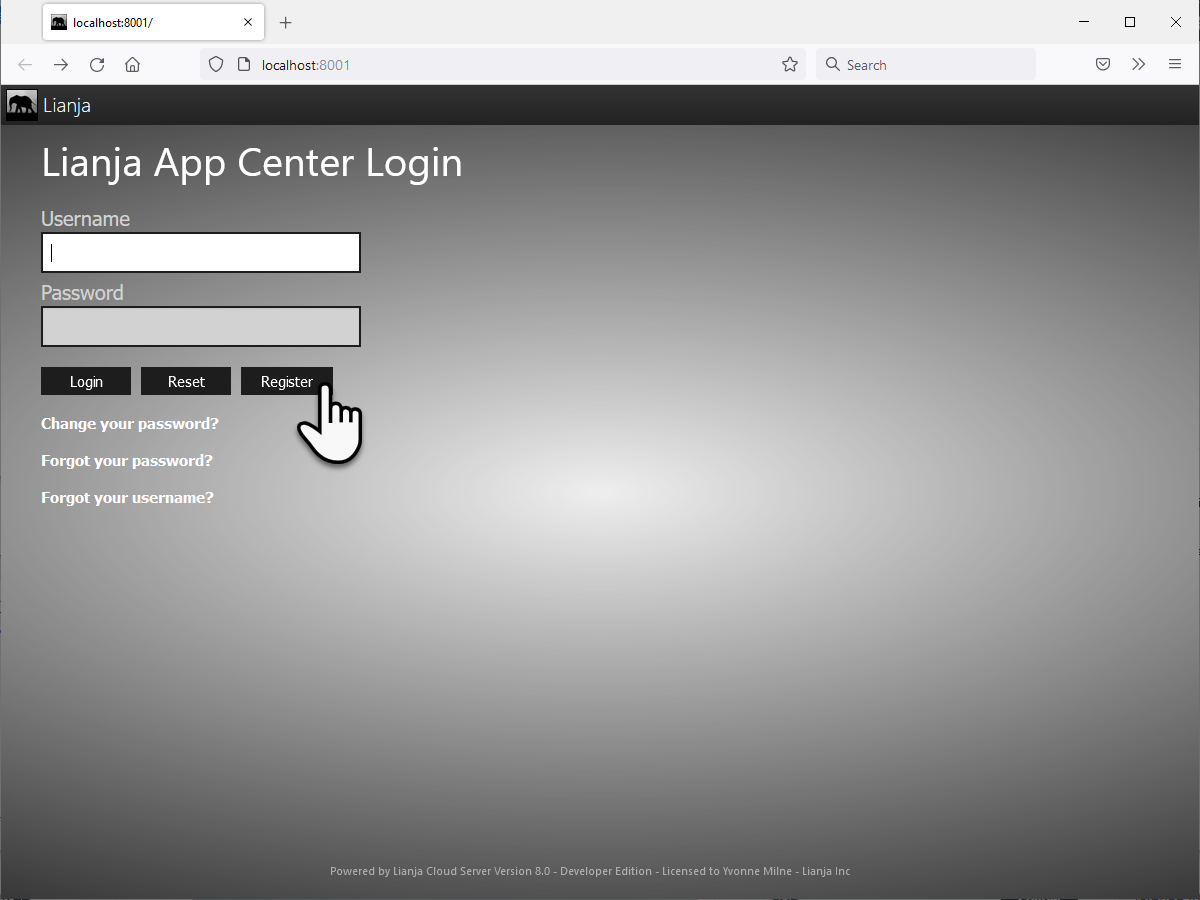
Complete the registration form:
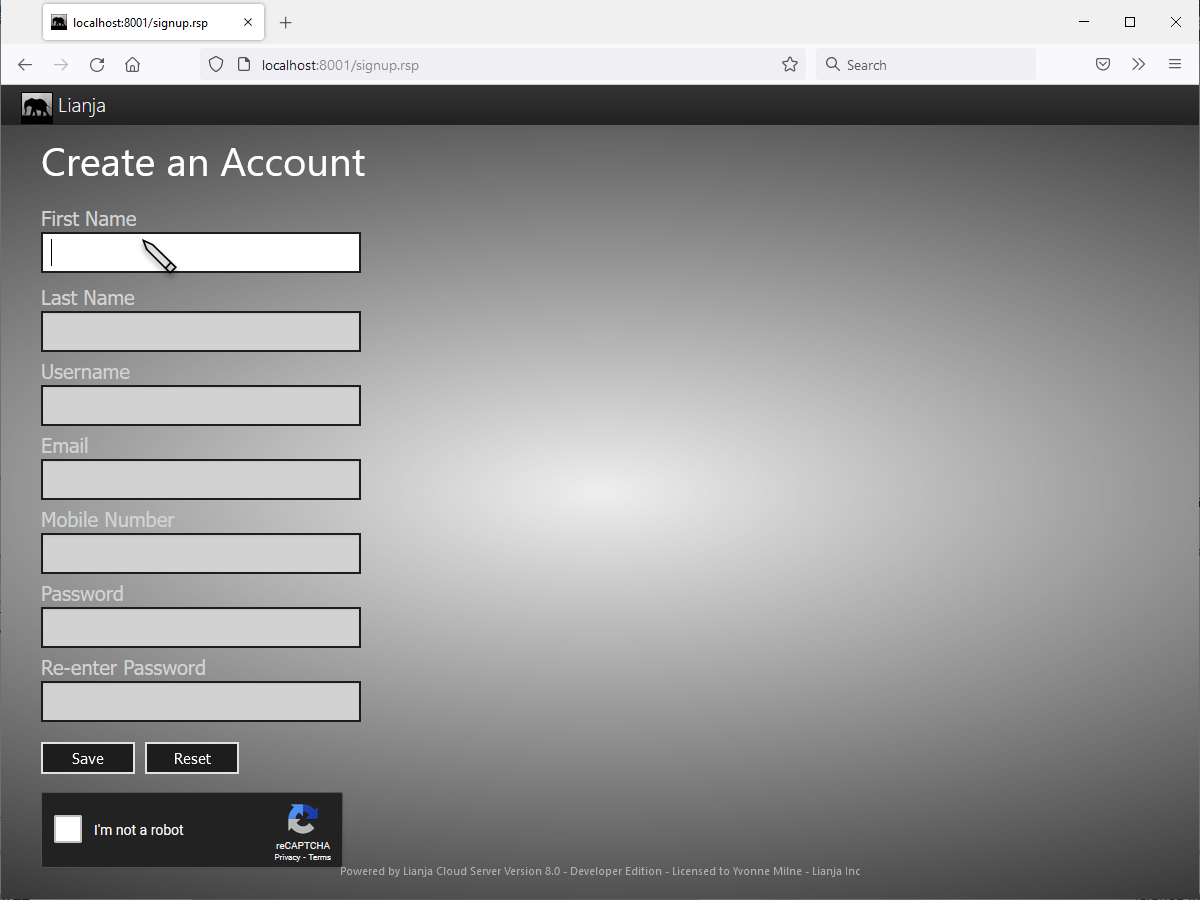
Enabling User Registration
Windows
On Windows, check the Enable registrations setting in the Lianja Server Manager Security tab:

The Lianja Server will restart to apply the setting.
Linux and macOS
Include the following environment variable setting in the Lianja Server configuration file on Linux or macOS:
DB_REGISTRATION_ENABLED=ON
Default User Roles
Self-registering users will, by default, be given the role 'public'. Apps to be accessed by these users should include this role or * (all) roles.
To specify an alternative role or roles to be given to self-registering users, set the DB_REGISTRATION_ROLES environment variable (all supported platforms), e.g.
DB_REGISTRATION_ROLES=news,events,general
See Also
Cross Platform App Deployment, Customizing the Login Page, Database Tenancies, Lianja Cloud Admin Console, Lianja Server Manager on Linux, Lianja Server Manager on Mac, Lianja Server Manager on Windows, Sysroles System Table, Users and Roles, USERDOMAIN(), USEREMAIL(), USERNAME(), USERROLES(), USERTENANCY()
